
ECU CAN Bus Communication Troubleshooting: A Technician's Checklist Before Programming
Reliable communication is essential when reading, writing, diagnosing or cloning an automotive Electronic Control Unit (ECU). Even when a programming tool is compatible with the target controller, communication may fail because of incorrect wiring, unstable power, connector problems, network faults or an unsuitable connection method.
The Controller Area Network (CAN) is widely used in modern vehicles to allow electronic control units to exchange information. When a CAN communication problem occurs, a technician may encounter an ECU identification failure, intermittent communication, diagnostic trouble codes or an interrupted programming session.
Before attempting another programming operation, it is important to distinguish a genuine ECU fault from a problem involving the communication network, power supply, wiring or programming interface.
This guide explains how to approach ECU CAN bus troubleshooting systematically, inspect CAN-H and CAN-L circuits, understand termination resistance, identify common communication symptoms and prepare the vehicle or ECU for a supported programming operation.
What Is CAN Bus Communication in an ECU?
CAN is a communication protocol that allows electronic control units to exchange messages over a shared network. Depending on the vehicle architecture, the network may connect engine controllers, transmission controllers, body modules, instrument clusters and other electronic systems.
A conventional high-speed CAN network commonly uses two communication lines:
- CAN-H: The CAN high signal line.
- CAN-L: The CAN low signal line.
These signals operate together to represent communication states. Their electrical behavior depends on the CAN implementation and network conditions.
Not every vehicle uses the same network architecture. A vehicle may contain multiple CAN networks, different communication speeds, gateways and other protocols. Some ECU programming procedures use a direct connection to the controller rather than communicating through the complete vehicle network.
For this reason, identifying the correct communication interface and supported programming method is an essential first step.
Common Symptoms of ECU CAN Bus Communication Problems
CAN-related problems can produce several symptoms, but these symptoms do not automatically establish that the CAN network itself is defective.
Common observations include:
- The diagnostic scanner cannot communicate with a particular ECU.
- The programming software cannot identify the connected control unit.
- Communication works intermittently.
- Multiple control units report communication-related trouble codes.
- The ECU disappears from the diagnostic network unexpectedly.
- A programming operation stops because communication is lost.
- Other modules report that messages from the target ECU are missing.
- The ECU communicates through one supported method but not another.
Possible causes include incorrect CAN wiring, poor connector contact, missing network termination where required, damaged wiring, a defective transceiver, an unsuitable connection mode or a power supply problem.
A programming interface, USB connection or software driver can also cause communication failures. Therefore, diagnosis should separate the computer-to-interface connection from the interface-to-ECU communication path.
Step 1: Confirm the ECU and the Required Communication Method
Before inspecting CAN wiring, identify the exact ECU and establish how the selected programming tool supports it.
Record the available information:
- Vehicle manufacturer, model and production year.
- Engine or transmission configuration, where relevant.
- ECU manufacturer and part number.
- Hardware and software identification, if available.
- Required programming operation.
- Supported connection method.
- Applicable wiring diagram or connection instructions.
Determine whether the operation requires OBD, Bench, Boot, JTAG, BDM or another supported method. The correct method depends on the ECU architecture and the intended operation.
Do not assume that a controller must use CAN-H and CAN-L for every supported programming operation. Some procedures use other interfaces or require a particular combination of power, ground and communication connections.
For an overview of supported programming methods, see the KT200II Operation Modes Guide.
Step 2: Verify ECU Power Supply and Ground
An ECU may fail to communicate when its power supply or ground connection is incorrect, unstable or incomplete.
Before investigating the CAN network, verify the power connections specified for the exact ECU and programming method.
Check the following:
- Power supply polarity and connection points.
- Required supply voltage according to the ECU documentation.
- Ground connections and connector seating.
- Power supply stability during the intended operation.
- Relevant fuses and vehicle power distribution circuits.
- Signs of damaged terminals, corrosion or overheating.
- Whether the ECU is receiving power through all required connections.
A voltage reading at an unloaded connector does not always prove that a circuit can maintain the required voltage under operating conditions. Where appropriate, use an approved diagnostic method to assess voltage drop and circuit integrity.
Do not apply power to unidentified pins or assume that similar ECU connectors have identical pin assignments.
Step 3: Inspect CAN-H and CAN-L Wiring
When the selected operation uses CAN communication, inspect the relevant wiring and connectors against the correct diagram.
Common wiring problems include:
- CAN-H and CAN-L connected to the wrong terminals.
- A wire connected to an adjacent pin.
- A loose or incompletely seated connector.
- Damaged insulation or broken conductors.
- Corrosion or contamination at the connector.
- An incorrect adapter or breakout harness.
- A pinout taken from a different ECU variant.
Even when CAN-H and CAN-L appear to be connected correctly, the circuit may still contain a fault elsewhere in the network. A correct connection at the ECU does not prove that the complete communication path is intact.
Use the manufacturer-specific pinout and the programming tool's connection instructions. Do not rely solely on wire colors, connector appearance or a diagram intended for a similar-looking module.
Step 4: Understand CAN Bus Termination Resistance
CAN network termination helps control signal reflections and maintain reliable communication. The correct termination arrangement depends on the network design.
Some conventional high-speed CAN networks use two 120-ohm termination resistors at opposite ends of the main bus. When both are present and electrically connected in parallel, their combined resistance is approximately 60 ohms.
However, this is not a universal resistance specification for every automotive CAN network or every ECU bench setup.
The measured resistance can differ because of:
- The network topology.
- The location of the measurement.
- Whether all required network components are connected.
- Integrated or switchable termination.
- Gateway and branch configurations.
- The presence of additional circuitry.
Before measuring resistance, follow the applicable service documentation and ensure the circuit is in the required unpowered state. Never measure resistance on an energized circuit.
If the measured value differs from the expected result, investigate the actual network design before concluding that a termination resistor is missing or defective.
Step 5: Check for CAN Bus Shorts and Wiring Faults
A short circuit involving CAN-H, CAN-L, power or ground can disrupt communication across some or all of the affected network.
Depending on the circuit and fault location, symptoms may range from intermittent communication to multiple modules becoming unavailable.
Potential checks include:
- Inspecting the harness for crushing, abrasion or previous repairs.
- Checking connector terminals for bending or displacement.
- Verifying continuity using the prescribed unpowered test procedure.
- Checking for unintended shorts using the approved wiring diagram.
- Comparing the observed condition with manufacturer diagnostic guidance.
- Separating the target ECU from other network components only when the service procedure permits it.
Do not disconnect network components at random. Removing a module may change the network topology or remove a required termination path, making the results difficult to interpret.
If multiple modules report communication faults, investigate the shared network and power distribution before assuming that every affected ECU has failed independently.
Step 6: Use an Oscilloscope When Necessary
A digital multimeter can provide useful information about power supply, ground and selected static circuit conditions. However, it cannot show every detail of a dynamic CAN communication signal.
When static checks are inconclusive, an oscilloscope may help a trained technician examine the communication waveform using an appropriate automotive test procedure.
Depending on the network and fault, waveform analysis may help investigate:
- Whether communication activity is present.
- Intermittent signal interruptions.
- Abnormal waveform shape.
- Electrical noise or interference.
- Signal distortion associated with wiring or termination problems.
- Differences between expected and observed communication behavior.
Use a suitable probe, correct grounding arrangement and the appropriate measurement points. Follow the oscilloscope manufacturer's instructions and the vehicle's service information.
A waveform that looks different from an expected example does not automatically identify the defective component. Interpret the result in the context of the specific network, topology and operating condition.
Step 7: Determine Whether the Fault Is in the Vehicle Network or the Programming Interface
When a programming tool cannot communicate with an ECU, the problem may originate at several different points in the connection chain.
A useful troubleshooting approach is to separate the system into three sections.
| Section | What to Check | Possible Problem Areas |
|---|---|---|
| Computer to Interface | Software recognition, USB connection and driver status | Driver installation, USB cable, port or software configuration |
| Interface to ECU | Adapter, pinout, power and communication wiring | Incorrect connections, loose terminals or unsupported adapter |
| ECU and Network | Controller power, ground and supported communication method | ECU fault, network wiring issue or incorrect programming mode |
Start with the simplest verifiable checks. Confirm that the computer recognizes the interface, inspect the connection setup and verify the selected operation mode before making changes to the ECU.
For software and driver troubleshooting, see the ECU Programmer Software Installation and Driver Compatibility Guide.
Step 8: Why Bench Communication May Fail Even When the Wiring Looks Correct
In a bench programming setup, a controller is connected outside the vehicle using a supported harness or adapter. The connection may appear correct while an essential requirement remains unmet.
Possible causes include:
- The wrong ECU variant or connection diagram was selected.
- The required power or ground connection is missing.
- The communication interface is not supported for the selected operation.
- A required enable or ignition-related input has not been configured according to the documentation.
- The ECU has an internal power supply or communication circuit fault.
- The selected software profile does not match the target ECU.
- The ECU requires a different supported access method.
When communication fails, compare the actual setup with the exact ECU documentation rather than repeatedly changing wires or selecting unrelated profiles.
If the software offers several modes but only one is available or supported for the identified ECU, investigate the documented requirements for that mode. Do not assume that a different mode will work simply because the current connection appears correct.
Step 9: Troubleshoot Intermittent CAN Communication
Intermittent communication can be more difficult to diagnose than a complete communication failure because the network may work under some conditions and fail under others.
Possible causes include:
- Loose connector terminals.
- Damaged or stressed wiring.
- Unstable ECU power supply.
- Intermittent ground connections.
- Electrical interference.
- A defective network transceiver.
- Computer or interface connection interruptions.
- Environmental or temperature-related hardware problems.
Record when the fault occurs, which modules are affected and whether the failure coincides with a change in power supply, cable position or operating condition.
Where the service procedure permits, inspect connectors and harnesses for mechanical stress. Do not move or manipulate live connections during an active programming operation.
If communication becomes unstable during writing, follow the documented recovery procedure instead of immediately repeating the operation.
Step 10: What to Do When an ECU Cannot Be Identified
An identification failure does not necessarily mean that the ECU is damaged. It indicates that the selected setup has not established the required identification communication.
Use a controlled diagnostic sequence:
- Record the displayed software message or error code.
- Confirm the exact ECU identification and supported application.
- Verify the selected connection mode.
- Check power supply and ground according to the documentation.
- Inspect the relevant communication wiring and connectors.
- Confirm that the programming interface is recognized by the computer.
- Review the supported ECU list and connection instructions.
- Attempt identification again only after correcting any verified issue.
If the ECU remains unavailable, stop before attempting an unsupported write operation. Further diagnosis may be required to distinguish a hardware failure, a communication problem or a limitation of the selected programming method.
The ECU Programming Recovery Decision Checklist provides additional guidance for handling interrupted sessions and uncertain ECU states.
Step 11: Verify Communication Before ECU Programming
Before starting a Read or Write operation, confirm that the connection is stable and that the intended procedure is supported for the exact ECU.
A practical pre-programming checklist includes:
- ECU manufacturer and hardware identification confirmed where available.
- Vehicle and ECU application checked against the support information.
- Correct programming method selected.
- Power and ground connections verified.
- Communication wiring and connector seating inspected.
- Computer recognition of the programming interface confirmed.
- Original data backed up when the supported procedure permits it.
- Available software messages and identification results recorded.
- Required operating conditions confirmed.
- Unnecessary applications and potential connection interruptions minimized.
After the operation, verify the ECU identification and review the programming result. Complete any required diagnostic or functional checks before returning the vehicle to service.
Communication success alone does not establish that a Write operation completed correctly or that the entire ECU is functioning normally.
Common CAN Bus Troubleshooting Mistakes
Assuming CAN-H and CAN-L Are Correct Because the Colors Match
Wire colors can vary between manufacturers, harnesses and adapters. Use the correct pinout rather than color alone.
Applying One Resistance Value to Every Network
Termination depends on the network design and measurement conditions. Confirm the expected configuration before interpreting a resistance reading.
Replacing the ECU Before Checking Power and Ground
An external power or ground fault can prevent communication even when the ECU itself is functional. Verify the required electrical circuits first.
Changing Programming Modes Without Confirming Support
OBD, Bench, Boot and other methods are not interchangeable. Use the mode supported for the exact ECU and intended operation.
Repeatedly Retrying After Communication Loss
Record the error and establish the ECU's current state before attempting another operation. Follow the applicable recovery instructions.
Assuming Communication Means the ECU Is Fully Functional
An ECU may respond to identification requests while still having other software, hardware or diagnostic problems. Complete the required checks after programming.
KT200II Resources for ECU Communication and Programming
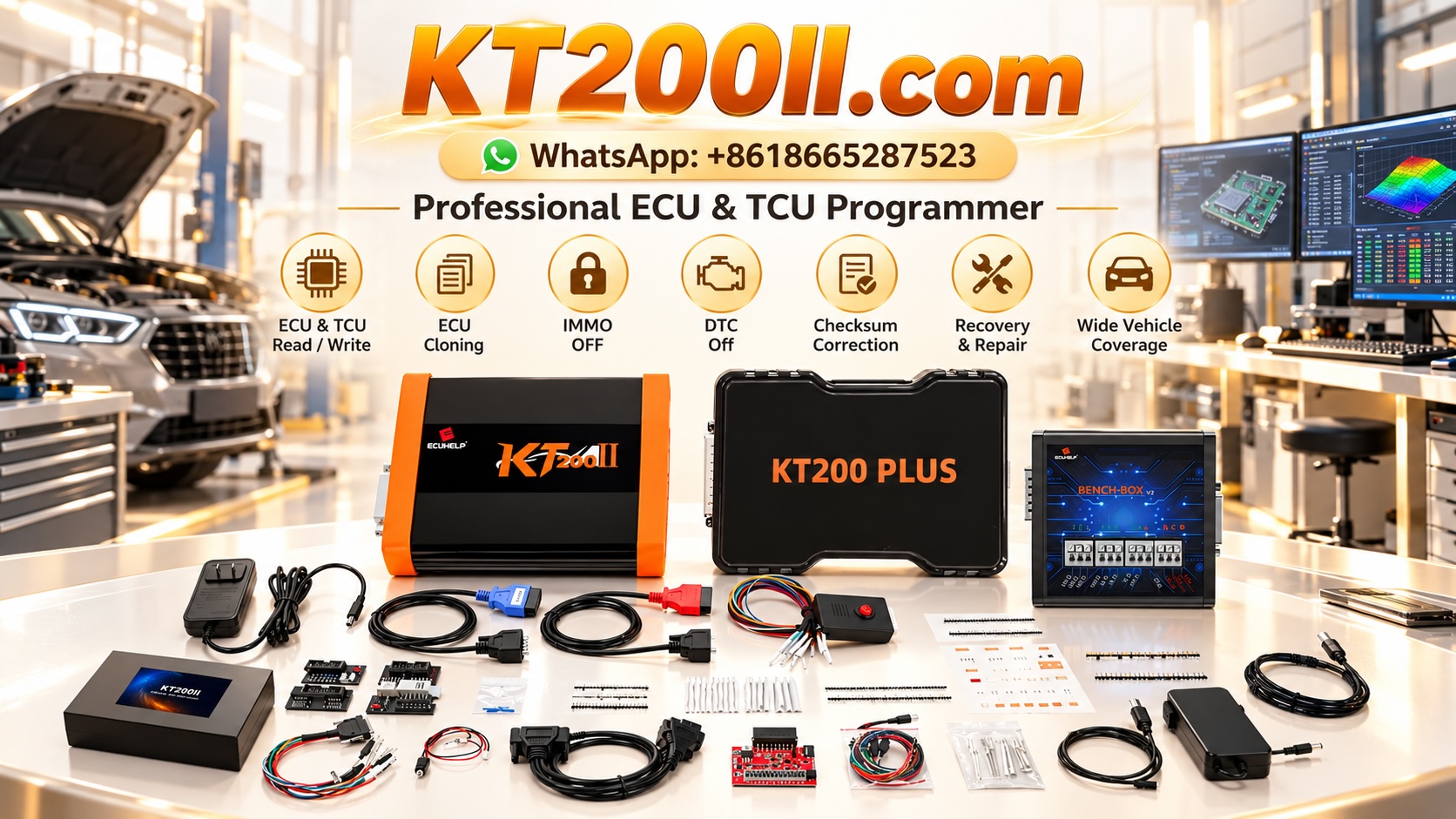
KT200II is an ECU and TCU programming tool for supported control units and operations. The available programming methods and communication functions depend on the exact ECU, software support and selected operation.
Before connecting a controller, confirm its support status and review the appropriate connection method. Do not assume that all ECUs use CAN communication or that a general programming mode supports every operation.
Use these resources when preparing a programming job:
- KT200II ECU Programmer Product Information.
- KT200II Supported ECU List.
- KT200II Operation Modes Guide.
- KT200II Software Resources.
- KT200II Technical Blog.
For reliable results, combine the appropriate programming method with verified wiring, stable power, a supported interface and the correct ECU-specific procedure.
Frequently Asked Questions
Why can my diagnostic tool not communicate with the ECU?
Possible causes include an incorrect connection method, power or ground problems, communication wiring faults, a defective interface, software configuration issues or an ECU hardware fault. Verify the supported setup before replacing components.
Can incorrect CAN-H and CAN-L wiring prevent ECU identification?
Yes. Incorrect communication wiring can prevent successful communication or cause network problems. Verify the pinout using the exact ECU documentation.
Should every CAN network measure approximately 60 ohms?
No. Approximately 60 ohms is a common expectation for certain high-speed CAN networks with two 120-ohm terminators connected in parallel. The expected reading depends on network topology, termination design and measurement conditions.
Can a multimeter identify every CAN bus fault?
No. A multimeter can help check selected electrical conditions, but it cannot reveal every dynamic communication fault. An oscilloscope or other suitable diagnostic equipment may be necessary.
Why does the ECU communicate intermittently?
Possible causes include unstable power, poor connector contact, damaged wiring, electrical interference, a defective transceiver or an unstable programming interface connection. Record the conditions under which the fault occurs and diagnose each section systematically.
Should I change the programming mode if CAN communication fails?
Only when another method is documented and supported for the exact ECU and intended operation. First verify the current connection, power supply and selected programming profile.
Does successful ECU identification prove that communication is stable enough for writing?
No. Identification is only one checkpoint. Verify the connection and operating conditions, preserve original data when supported and follow the programming tool's procedure before starting a Write operation.
Conclusion
ECU CAN bus troubleshooting requires a structured approach that separates wiring faults, power supply problems, programming interface issues and ECU hardware failures.
Start by identifying the exact controller and supported communication method. Verify power and ground, inspect CAN-H and CAN-L wiring, assess termination according to the network design and use suitable diagnostic equipment when necessary.
Before programming, confirm stable communication and preserve original data wherever the supported procedure permits it. If communication fails or becomes intermittent, document the error and follow the ECU-specific troubleshooting or recovery process instead of repeatedly attempting unsupported operations.
A systematic approach improves diagnostic efficiency, reduces unnecessary component replacement and helps technicians prepare for more reliable ECU programming.
Professional use notice: ECU diagnostics and programming should be performed by trained technicians using the correct wiring diagrams, supported equipment and manufacturer-specific procedures. Follow the required electrical safety precautions and never apply power to unidentified terminals.